
Estimated reading time: 8 minutes
Key Takeaways
-
- The **MoRTH e-tender portal** is the *official and mandatory gateway* for all Ministry of Road Transport and Highways (MoRTH) procurement in India, integrated within the CPPP.
-
- It manages the *entire tendering process*, from official announcements and document distribution to secure online bid submissions and contract awards, ensuring transparency.
-
- Participation requires a *one-time bidder registration* and a mandatory *Digital Signature Certificate (DSC)* for secure login and legally binding bid submissions.
-
- Registered users gain access to comprehensive features including *viewing active tenders, downloading documents, participating in pre-bid discussions*, and *tracking bid status*.
- Relying exclusively on the *official CPPP site* (eprocure.gov.in) is crucial for engaging effectively with MoRTH infrastructure projects.
Table of contents
1. Introduction: Your Gateway to MoRTH E-Tenders
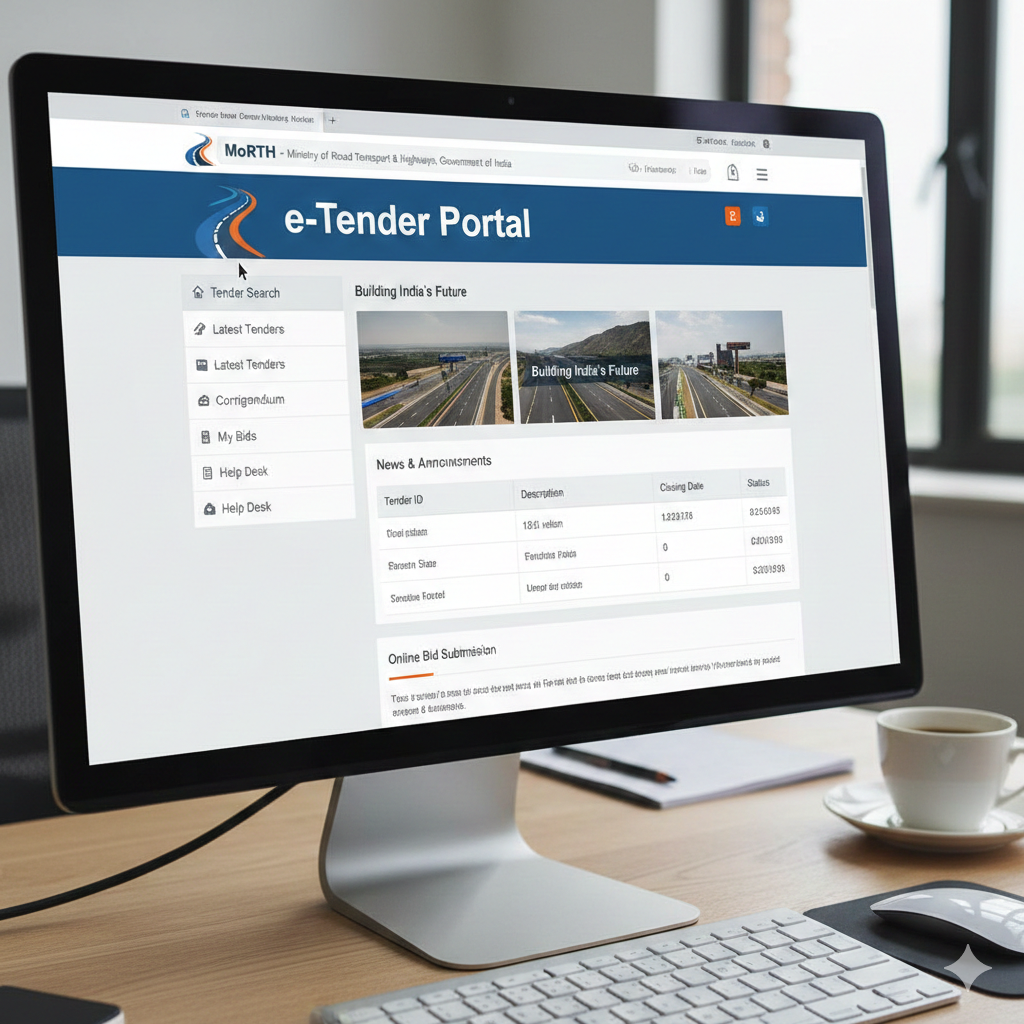
The **MoRTH e-tender portal** is the official electronic gateway for all tender and procurement activities conducted by the Ministry of Road Transport and Highways (MoRTH), Government of India. This important platform serves as a dedicated section within the larger Central Public Procurement Portal (CPPP). The CPPP is managed by the National Informatics Centre (NIC) and handles tenders for many central government ministries and departments.
This digital hub is incredibly important for contractors, consultants, and service providers. If you are looking to work on projects related to India’s vital road and transport infrastructure development, this is where you need to be. The main goal of the **MoRTH tender portal** is to provide a clear, efficient, and easy-to-use system for the entire tendering process. This includes everything from the first announcement of a project to submitting bids and finally awarding the contract.
It is crucial to understand that if you want to get involved with MoRTH procurement, you must use this official platform. It is the only way to access and participate in these important government projects. This online system ensures everyone has a fair chance and that all processes are transparent.
Access the official portal here: https://eprocure.gov.in/eprocure/app
2. Understanding the MoRTH Tender Portal Landscape
The **MoRTH tender portal** is a key part of the Central Public Procurement Portal (CPPP). It fully manages all tendering activities specifically for projects from the Ministry of Road Transport and Highways. This electronic tendering system covers the entire journey of a tender, making it easy for everyone involved.
Let’s look at the specific activities this vital **MoRTH procurement portal** handles:
-
- Publication of Tender Notices (NITs): This is where new tenders are officially announced. These announcements, called Notice Inviting Tenders (NITs), provide important details about the project. This includes what the project is about, who can apply (eligibility criteria), and key dates, such as when bids are due or when pre-bid meetings will happen.
-
- Distribution of Bidding Documents: The portal makes it easy to get all the papers you need to bid. You can securely download full tender documents, detailed specifications, necessary drawings, and any other relevant files. This ensures all potential bidders have the same information.
-
- Online Bid Submission: This feature offers a safe and private way for bidders to send in their proposals. You can prepare and submit your technical and financial bids electronically. The system makes sure your data is kept safe and confidential.
-
- Bid Opening and Evaluation: When it’s time, the portal supports the online opening of bids. This happens at the scheduled time and creates a clear record for everyone to see. It also helps in the next steps of evaluating all the submitted proposals.
-
- Corrigendum and Clarifications: Sometimes, changes or clarifications are needed for tender documents. Official amendments (called corrigendum) and answers to questions from bidders are published here. This ensures that all participants get the same, updated information.
-
- Pre-Bid Meeting Information: If there are meetings before bids are submitted, details and minutes from these meetings are made available. These meetings often answer common questions and clear up any confusion about the project.
- Award of Contract: Once a decision is made, the name of the successful bidder and full details of the contract award are officially published on the portal.
In summary, the **MoRTH procurement portal** is the one central place for all MoRTH tendering activities. It makes sure that all procurement procedures are uniform, clear, and fair. This helps to encourage fair competition and ensures that public money is spent responsibly.
Explore MoRTH tenders on CPPP: https://eprocure.gov.in/eprocure/app
3. Step-by-Step Guide to Navigating the MoRTH Procurement Portal
To get started with MoRTH tenders, you need to know how to find your way around the official **MoRTH procurement portal**. Remember, it is part of the larger Central Public Procurement Portal (CPPP).
Here’s how to navigate to the official platform:
- Direct Link: You should go directly to the official CPPP website. This is the main entry point for all central government tenders, including those from MoRTH.
You can find it here: https://eprocure.gov.in/eprocure/app
Once you are on the CPPP homepage, you will need to guide yourself to the **MoRTH tender portal** specific tenders:
-
- Use the “Tenders by Organisation” Filter: Look for a filter or dropdown menu on the portal. From the list, specifically select “Ministry of Road Transport and Highways (MoRTH)”. This will show you only the tenders published by MoRTH.
-
- Search by Keywords: If you know what you are looking for, use the “Search by Keywords” box. You can type in specific project names, tender IDs (unique identification numbers), or types of tenders that are important to MoRTH projects.
- Browse “Latest Tenders” or “Active Tenders”: You can also simply look through the lists of “Latest Tenders” or “Active Tenders”. Keep an eye out for tenders that have been published by MoRTH. These lists are updated regularly.
When you land on the CPPP main page, here is some of the content you can expect to see, which will help you get familiar with the site:
-
- Latest Tenders: This is a list that changes often, showing recently published tender notices. These come from various ministries, and MoRTH tenders will be included here.
-
- Corrigendum: This section shows updates or changes to tenders that are already published. It provides important revisions, corrections, or extensions to existing tenders.
-
- Results of Tender: Here, you can find information about tenders that have finished. This includes details of the companies or individuals who won the contracts and other award information.
- Important Announcements: This part of the portal shares system updates, general advice, or news specific to how the portal works.
As a user, here are some **procurement activities** you can do on the **MoRTH tender portal** (via CPPP):
-
- View and Download Documents: You can look at and download Notice Inviting Tenders (NITs) and all the detailed bid documents. You don’t even need to log in for this.
-
- Participate in Pre-Bid Discussions: If the tendering authority makes it possible online, you can join discussions before submitting your bid.
-
- Submit Bids: This is a key activity. To submit bids, you will need to be registered and logged in. We will cover this in more detail in the next section.
- Check Status and Results: You can check the live status of tenders and see the final results once they are announced.
Start navigating the CPPP portal: https://eprocure.gov.in/eprocure/app
4. Mastering the MoRTH e-Tender Login Process
The **MoRTH e-tender login** process is an essential step if you want to submit bids. Since it’s part of the Central Public Procurement Portal (CPPP), it requires specific steps and items to make sure your access is safe and confirmed. This secure authentication is especially important for sending in your bid documents.
To access the login section:
On the CPPP homepage, which is https://eprocure.gov.in/eprocure/app, look for links like “Online Bidder Login” or “Login”. These are usually easy to spot.
Here are the essential **prerequisites for login and bid submission**:
-
- 1. Registration as a Bidder: First, your company or you as an individual contractor must complete a one-time registration on the CPPP. This process is mandatory. It involves giving all your company details, such as its name, address, and the names of contact persons. You also provide contact information and agree to the portal’s rules.
-
- 2. Digital Signature Certificate (DSC): This is a very important tool. You need a Class II or Class III Digital Signature Certificate (DSC). This certificate must be given by a licensed Certifying Authority (CA) in India, like eMudhra, Sify, or nCode Solutions. The DSC is **mandatory** for securely logging in and, most importantly, for making your bid submission legally valid. The DSC proves who you are (authenticity), ensures your documents haven’t been changed (integrity), and means you cannot deny sending your bid later (non-repudiation). Your DSC must be linked to the person authorized to sign on behalf of your bidding company.
-
- 3. DSC Registration with Portal: Once you have a valid DSC, you must register it with the CPPP portal. This is a critical step. It usually happens when you first register as a bidder or shortly after. The portal needs to know and recognize your DSC.
- 4. System Requirements: You must make sure your computer meets the necessary technical needs. This often means having an up-to-date Java Runtime Environment (JRE) installed and set up correctly. You also need compatible web browser settings. In the past, Internet Explorer was often suggested, but newer browsers like Chrome or Firefox might need specific settings or Java plugins to be turned on for your DSC to work.
Here are **step-by-step login instructions, specifically for bid submission**:
-
- 1. Connect your DSC: Make sure your DSC token (it often looks like a USB drive) is plugged into your computer’s USB port. Also, check that its special software (drivers) are installed correctly and that your computer recognizes it.
-
- 2. Go to Login Page: Navigate to the CPPP portal homepage and click on the “Online Bidder Login” link.
-
- 3. Select Your DSC: The system will usually ask you to choose your DSC from the list of certificates it finds on your computer.
-
- 4. Enter DSC PIN: When prompted by the system, securely enter the special PIN or password that goes with your DSC. This is like your digital key.
- 5. Access Account: After your DSC and PIN are successfully checked, you will be securely logged into your bidder account on the **MoRTH tender portal** section of the CPPP.
Here’s how to deal with **common login issues & support**:
-
- Forgotten DSC PIN: If you forget your DSC PIN, you cannot reset it through the portal. You must contact the company that gave you your DSC (your Certifying Authority) to reset it. In some cases, you might need to get a new DSC.
-
- DSC Not Recognized/Expired: If your computer doesn’t see your DSC or if it says it’s expired, first check the validity period of your DSC. Then, make sure all the DSC drivers are installed correctly and that your browser’s Java settings are set up properly.
- Technical Glitches: The portal has a “Help for Contractors” section. It also offers detailed FAQs (Frequently Asked Questions) and a dedicated helpdesk. You can find contact numbers and email support on the CPPP site. They can help with technical problems, DSC issues, and other login-related questions.
Login to MoRTH e-Tender portal: https://eprocure.gov.in/eprocure/app
5. Key Features and Functions for Registered Users
Once you have successfully logged in to the **MoRTH e-tender portal** using your registered account and Digital Signature Certificate (DSC), you unlock a wide range of powerful tools. These features are part of the Central Public Procurement Portal (CPPP) and greatly help bidders participate effectively in procurement processes.
Here are the **key functionalities available** to you as a registered user:
-
- View Active Tenders: You gain access to a list of all currently active tenders. You can easily filter this list to see only those tenders published specifically by MoRTH or use other filters to find what you need. This keeps you informed about new business opportunities.
-
- Download Tender Documents: You can securely and freely download all the detailed tender documents. This includes the main tender papers, any Corrigendum notices (amendments), and clarification documents. This ensures you have all the necessary information readily available for your bidding process.
-
- Participate in Pre-Bid Activities: During the special pre-bid stage, you can submit your questions directly through the portal. You can also access all the official answers and clarifications issued by the tendering authority. This helps clear up any confusion before you submit your final bid.
-
- Prepare and Submit Bids: This is the main function. It allows you to electronically prepare, encrypt, and securely submit your technical and financial bids. You must do this before the specified deadline. This process involves uploading all the required supporting documents and then digitally signing your entire bid using your registered DSC. This digital signature makes your bid legally binding and authentic.
-
- Track Bid Status: You can monitor the real-time status of your submitted bids. This includes seeing when bids are scheduled to be opened and tracking the progress of the ongoing evaluation. It keeps you informed every step of the way.
-
- View Bid Opening Results: You can access the official results of both the technical and financial bid openings. This provides transparency and allows you to see how your bid progressed through the evaluation stages.
- Communication: You will receive important notifications and communications directly from the tendering authority. These messages could be about specific tenders you are interested in or general system updates, keeping you in the loop.
In conclusion, the **MoRTH procurement portal** simplifies and enhances the entire procurement process. It is an extremely valuable resource for contractors, suppliers, and service providers who want to work on projects with the Ministry of Road Transport and Highways. This electronic system offers improved efficiency, greater transparency, and helps create a fair playing field for everyone involved.
Engage with MoRTH projects: https://eprocure.gov.in/eprocure/app
6. Conclusion: Your Official Gateway to MoRTH Tenders
The **MoRTH e-tender portal**, as an essential part of the Central Public Procurement Portal (CPPP), is undeniably the main and official gateway. It is where all businesses, big or small, must go if they wish to participate in the many important infrastructure development projects of the Ministry of Road Transport and Highways across India.
This powerful and secure electronic system makes the entire tendering process much simpler and fully digital. It covers everything from the very first announcement of opportunities to the final, secure submission of bids and the ultimate award of contracts. The platform is built to be robust, transparent, and safe for all users.
We strongly encourage all potential users to rely exclusively on this official platform. Take the time to fully understand the necessary registration steps and the mandatory requirements for your Digital Signature Certificate (DSC). By actively using its comprehensive set of features and tools, you can smoothly navigate the world of government procurement.
For easy and effective engagement with MoRTH tenders in the future, we highly recommend that you **bookmark the official CPPP site ([https://eprocure.gov.in/eprocure/app](https://eprocure.gov.in/eprocure/app))** as your primary resource. This ensures you always have direct access to the most current information and opportunities.
Your official access point: https://eprocure.gov.in/eprocure/app
Frequently Asked Questions
-
- What is the MoRTH e-tender portal?
The MoRTH e-tender portal is the official online platform for all tender and procurement activities of the Ministry of Road Transport and Highways, Government of India. It is a dedicated section within the Central Public Procurement Portal (CPPP).
- What is the MoRTH e-tender portal?
-
- Do I need to register to view tenders on the MoRTH portal?
No, you generally do not need to register or log in to view and download tender notices (NITs) and bidding documents. However, registration is mandatory for submitting bids.
- Do I need to register to view tenders on the MoRTH portal?
-
- What is a Digital Signature Certificate (DSC) and why is it needed?
A Digital Signature Certificate (DSC) is a secure digital key that certifies the identity of the holder. It is mandatory for logging in and digitally signing your bids on the MoRTH e-tender portal, ensuring authenticity, integrity, and non-repudiation of your submission.
- What is a Digital Signature Certificate (DSC) and why is it needed?
-
- How do I submit a bid on the MoRTH e-tender portal?
To submit a bid, you must first be registered as a bidder and have a valid, registered DSC. You then log in with your DSC, prepare your technical and financial bids electronically, upload all required documents, and finally sign and submit your bid using your DSC before the deadline.
- How do I submit a bid on the MoRTH e-tender portal?
- What should I do if I forget my DSC PIN or my DSC is not recognized?
If you forget your DSC PIN, you must contact your Certifying Authority (CA) for a reset or potentially a new DSC. If your DSC is not recognized, check its validity, ensure drivers are installed correctly, and verify your browser’s Java settings. The CPPP helpdesk is also available for technical support.